Designing a guided AI document creation flow
A guided, AI-powered drafting experience that replaces uncertainty with clarity - improving activation, trust, and retention.
Role & Responsibilities
I led the end-to-end UX/UI design for the One-Way Create From Scratch experience. My responsibilities included conducting user interviews and analysing behavioural insights, mapping user flows, defining the new information architecture, and designing interactive prototypes to validate key decisions early.
About Genie AI
Genie AI is a legaltech startup backed by Google Ventures and Khosla Ventures, making legal services clearer and more affordable through open-source legal templates and AI-powered drafting tools.
Problem Statement
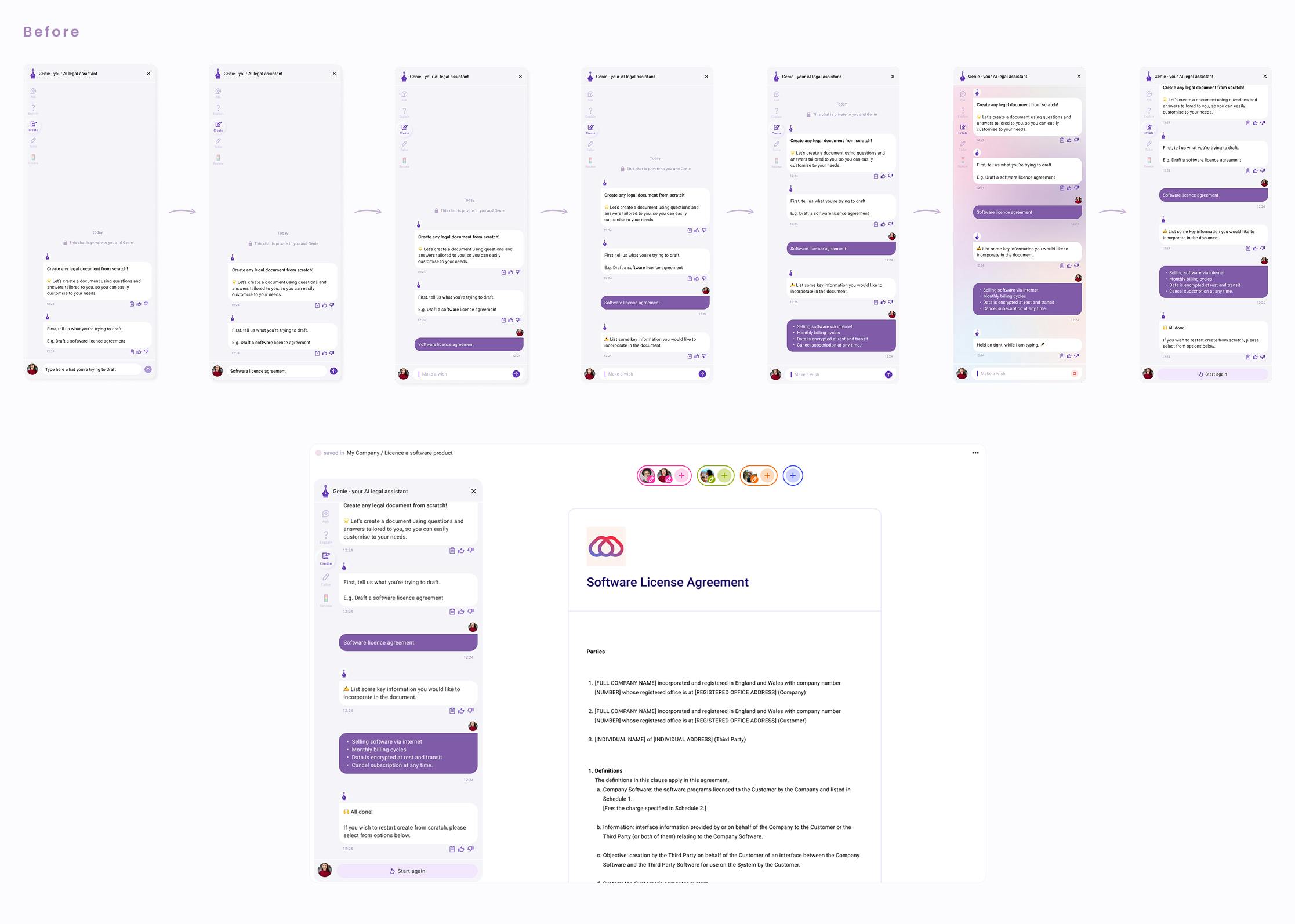
Despite strong intent, the original “Create From Scratch” flow caused major friction. Users faced a blank editor with no guidance, bounced between the prompt and the document, and often received AI output that was verbose or unreliable. Without guardrails, trust was low and many users hesitated to rely on the generated draft.
Tools
• Figma
• Miro
• Dovetail
Introduction
Create From Scratch was originally one of Genie AI’s most powerful but under-optimised features. It allowed users to type a prompt or start a document from a blank page — but in practice, it was confusing and slow for non-legal users.
Over time, we evolved this into “One-Way Create From Scratch” - a simplified, focused, and scalable UX pattern that aligns to user mental models and drives higher activation, better quality documents, and stronger retention for Pro Plan users.
Research Insights
From interviews and session analysis with users, we found:
• User 1 (CEO, Housing Us): Started with Google+ChatGPT to decide what to put in the prompt — then pasted it into Genie.
• User 2 (Solo operator): Used Genie to create “template shells” from prompts, but found them bloated or repetitive.
• User 3 (Construction CEO): Wanted simple NDAs but didn’t know if Genie could generate valid ones, so often re-did work outside the tool
Common pain points included:
“I don’t know what to ask the AI.”
“The draft looks smart but it's too long.”
“I’d like to be guided — like a wizard, not a blank slate.”
Goals
• Reduce cognitive load and choices during initial creation
• Improve speed-to-value (from prompt to draft)
• Increase trust in the quality of AI-generated legal docs
• Improve document usage depth
Key UX/UI Enhancements
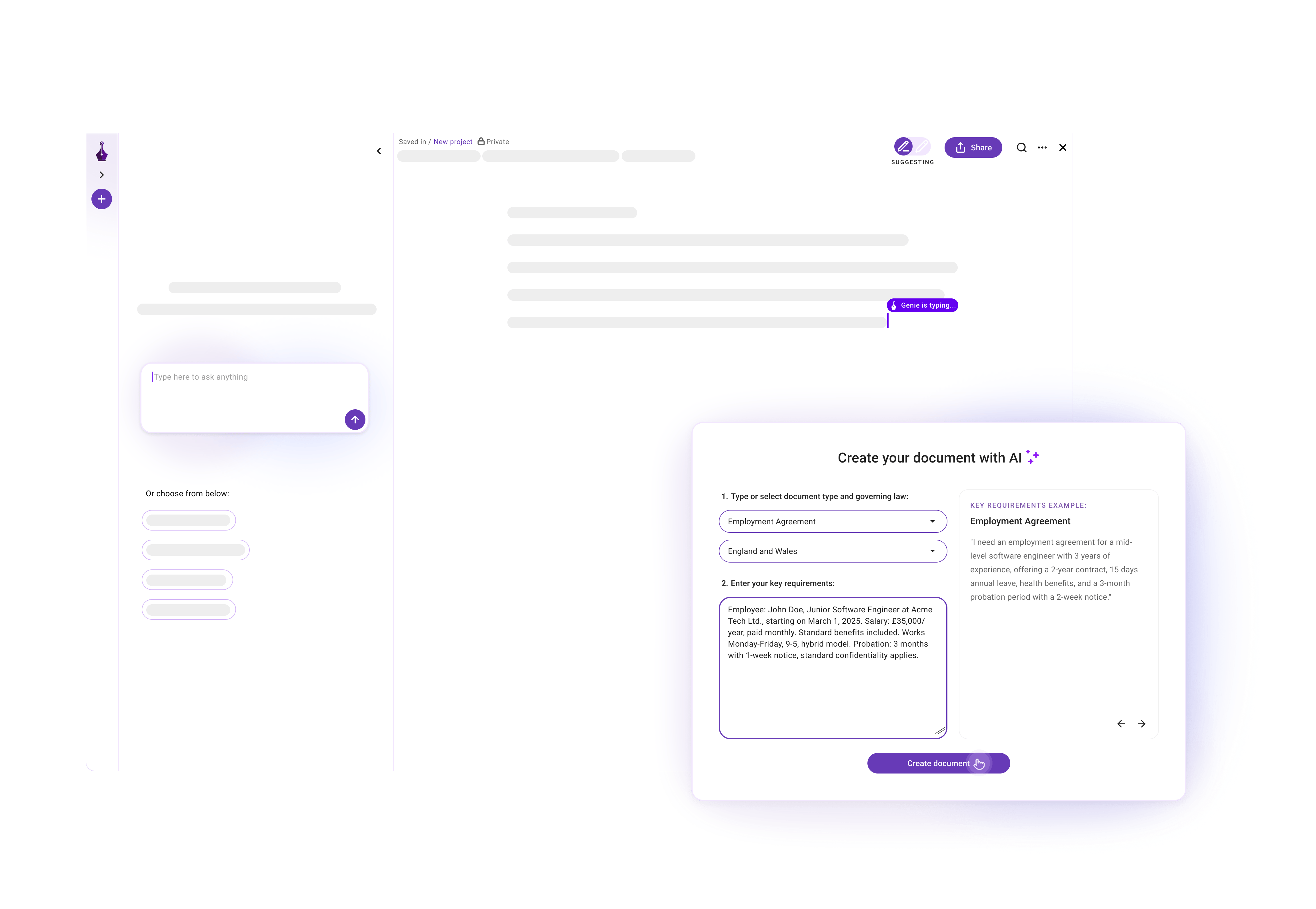
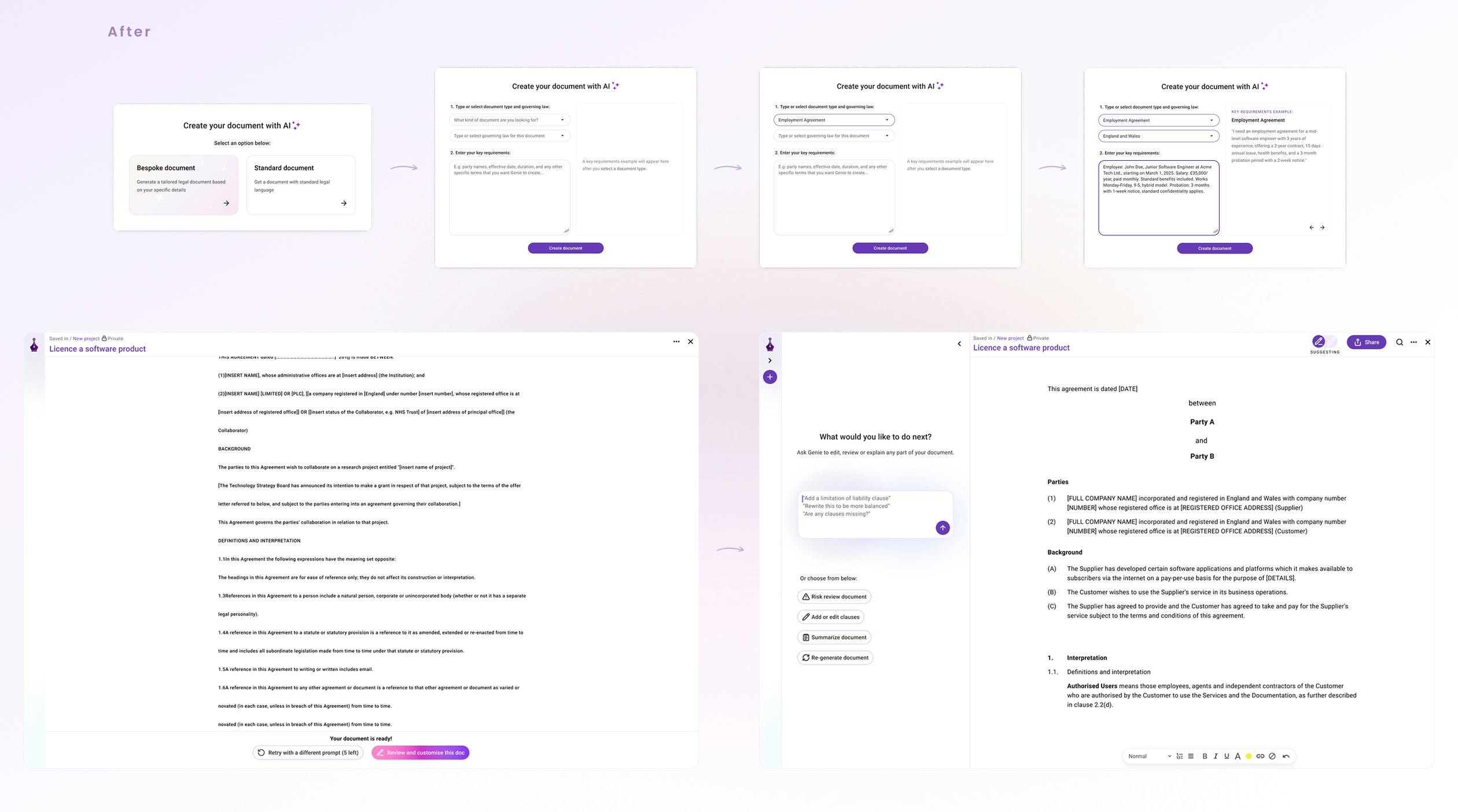
1. Document Type Selector (Prompt-Lite)
Instead of raw prompting, users now choose:
• "What type of document are you creating?" (dropdown)
• "What is this about?" (short example prompt)
Impact: Reduces anxiety, guides expectations, and helps users start with more clarity.
2. One-Way Generation UX
We removed the confusing back-and-forth loop between prompt and document:
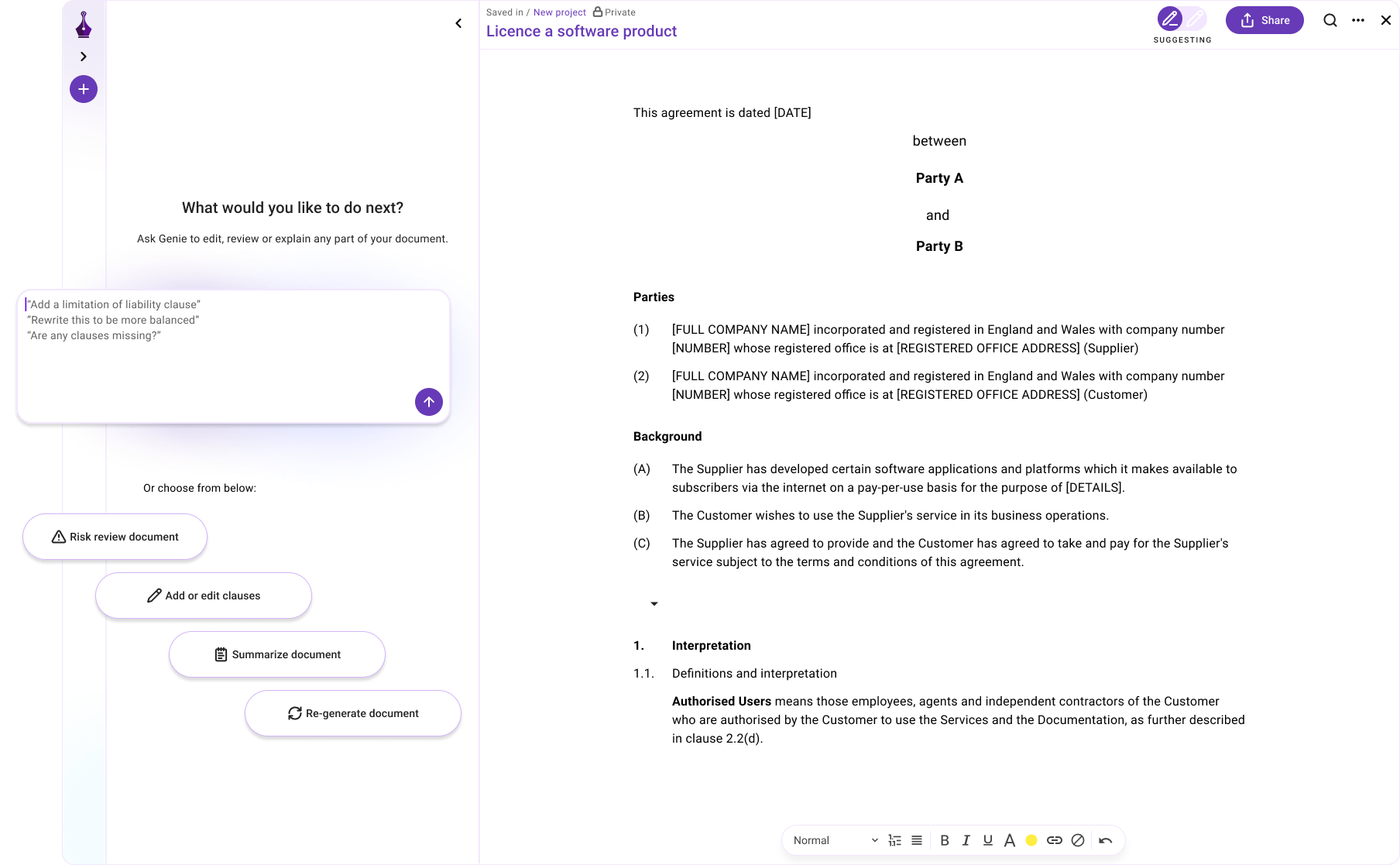
• One prompt → one draft → opens directly in the editor
• Clearer structure in generated documents (headings, sections)
• Square-bracket fields remain visible for manual review and editing
• Suggestions appear in the left panel (“Next steps”)
Impact: Cleaner mental model. Encourages forward motion.
What I Learned
• Users don’t want a blank canvas — they feel more confident when the experience provides structure and guidance.
• Legal confidence grows when ambiguity is removed, whether through clearer document structure, summaries, or suggested next steps.
• Even small UX improvements — like simplifying inputs, reducing steps, and surfacing clearer guidance — can dramatically increase user trust.
• “Create” is not just about AI generation; it’s about helping users reach a usable draft quickly and confidently.